
Join an event without an account
Updated
When someone sends you an event’s link or shows you its QR code, you can join with no account, email or password. If you join as someone new, you are a member, so you can add expenses straight away. If you tap a name the host added, you take the role the host gave that name.
- Open the link, or scan the QR code with your phone’s camera. The join page shows the event’s name.
- If your name is in the list, tap it, then go to step 6.
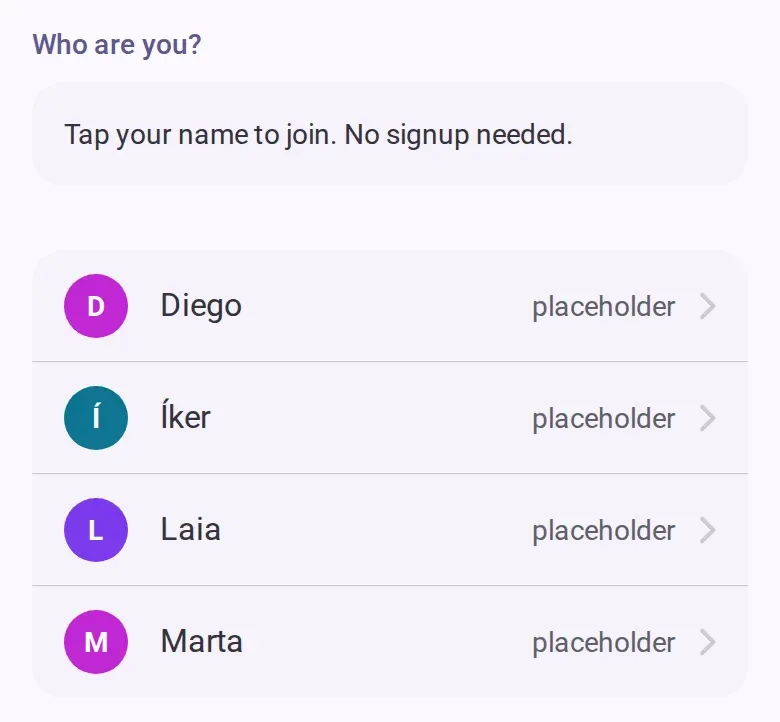
- If your name is not there, type the name you want to use in this event under the section for someone new.
- If the group has already logged costs that everyone shares, choose whether you share them from
the beginning or from a date.
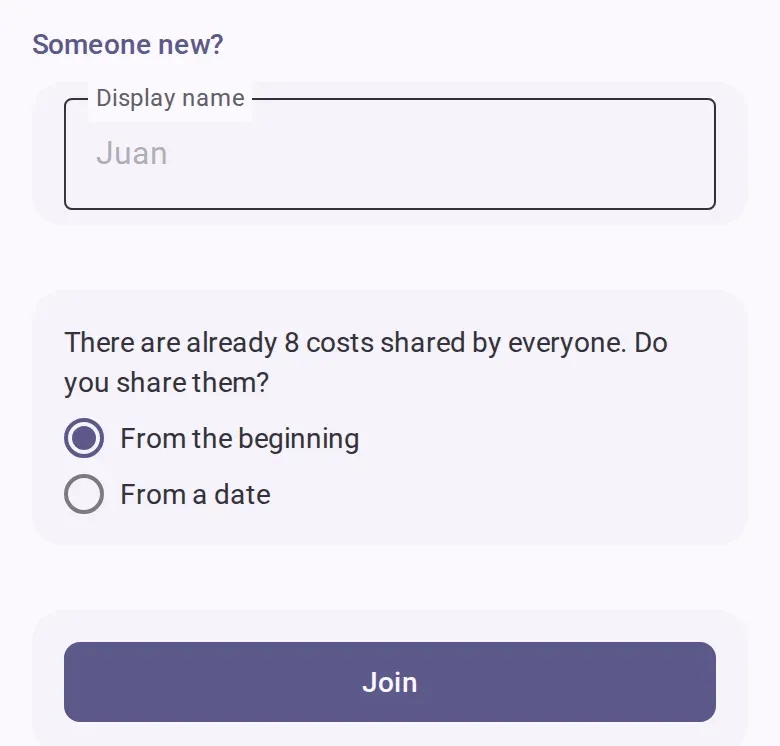
- Tap the join button.
- Save your recovery link when the welcome screen offers it. It is the way back into the event if
you lose your phone or clear your browser. You can also create an account instead. Neither is
required.
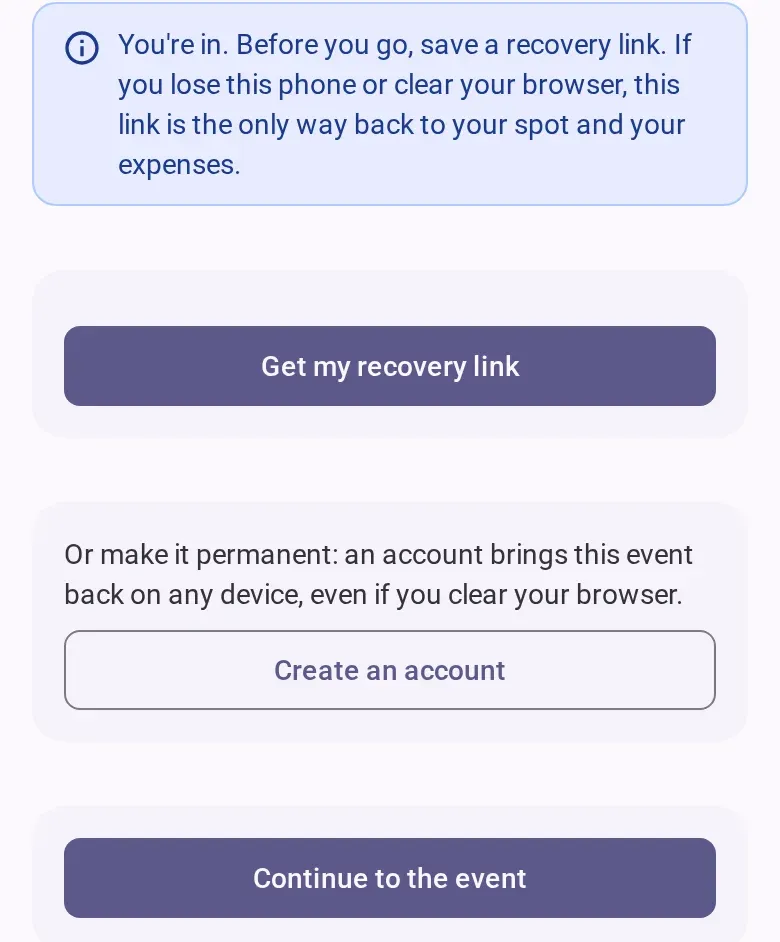
- Tap the continue button to open the event.
You don’t see your name
If the host added you but your name is not in the list, don’t type it again: that makes a second spot for you. Ask whoever invited you for your own personal link. A personal link shows only your name, works once, and stops working 24 hours after it was made. See Add people who haven’t joined yet.
You joined before
- If you are already in the event on this device, the page says so, with a button that takes you into the event.
- If you have an account, sign in first from the join page and your spot comes back. See Keep your seat on another phone.
- If you joined on another phone or cleared your browser, joining again makes a second spot, and your expenses stay on the old one. Use your recovery link instead. See Keep your seat on another phone.
No link to tap
On your events list, open the option to join an event with a link, paste the link someone sent you, and continue.
The event doesn’t let you in
- Settling or archived: the event no longer takes new people. You can still tap your name if it is listed. Ask someone in the event to reopen it.
- Full: a free event holds up to 8 people. When you tap the join button, the page says the event is full. Use the button there to tell the host, so they can make room, then try again. You can still tap your name if it is listed.
- The link doesn’t work: the host may have reset or turned off the link, or a personal link expired or was already used. Ask for a new one.
If you’re offline
You need a connection to open the join page and to join as someone new. If you tap your name and the connection drops, the app finishes joining when you are back online.
To start an event of your own, see Create an event and invite people.