
Expenses in another currency
Updated
An expense can be in any currency. The app converts it once, at a rate you can check or change, and then it counts in the event’s currency everywhere. Anyone who can add an expense can do this.
- Open the event’s expenses and tap the add button.
- Tap the currency button beside the amount.
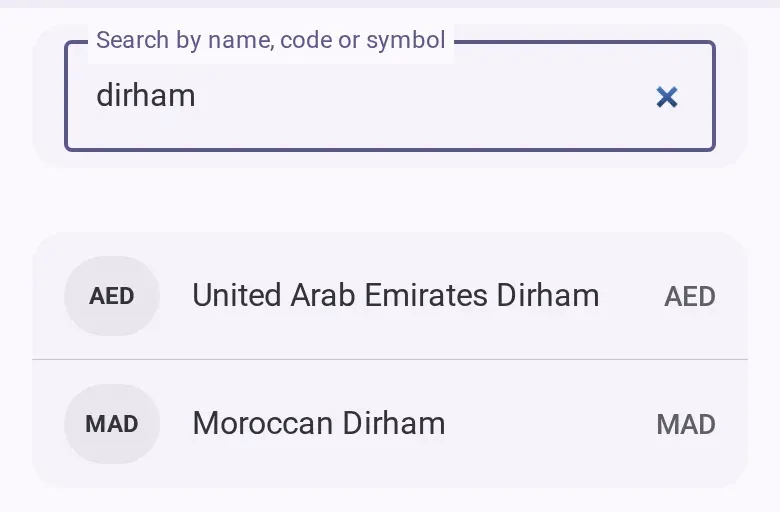
- Pick the currency you paid in. The likely ones are at the top, and you can search.
- Type the amount as you paid it.
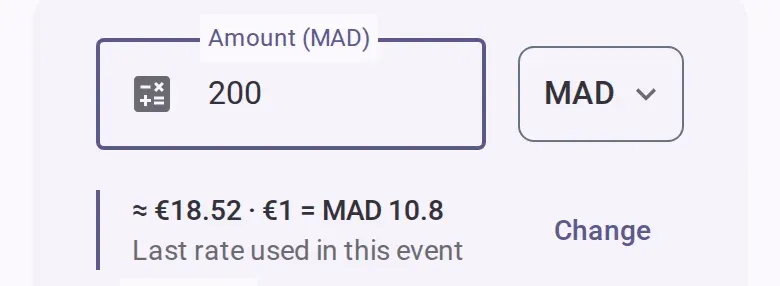
- Check the line under the amount: the amount in the event’s currency and the rate used. The rate
comes from the expense in that currency that was logged most recently in this event. If there is
none and you are online, it is the European Central Bank’s reference rate for the date spent.
Otherwise the rate fields are already open and you type it.
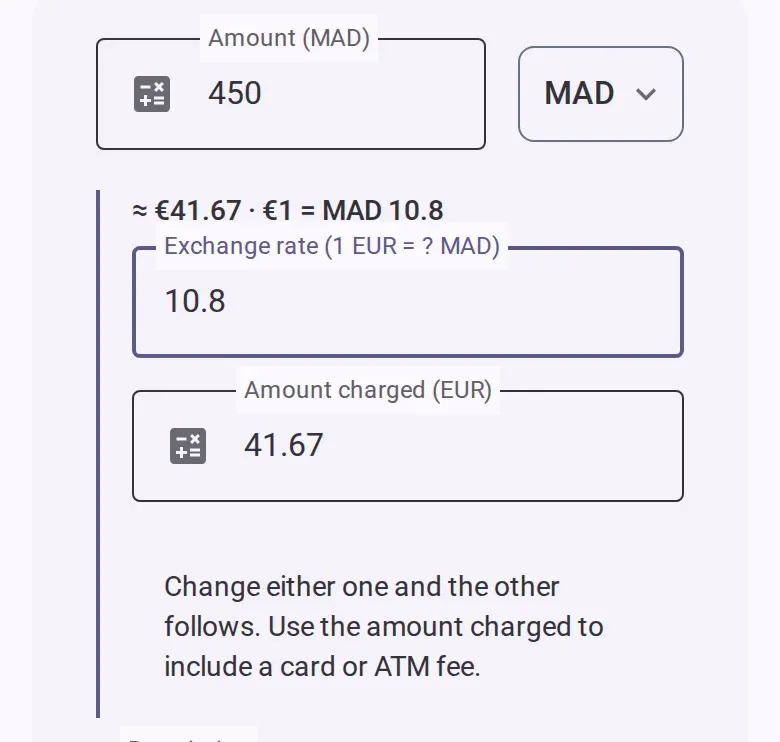
- To correct it, tap the change button on that line. Two linked fields open: the exchange
rate, written as how much of your currency one unit of the event’s currency buys, and the amount
charged in the event’s currency. Change either one and the other follows. Use the
amount charged to include a card or cash machine fee.
- Finish the expense as usual and save it. If you split by amounts, type them in the currency you paid in.
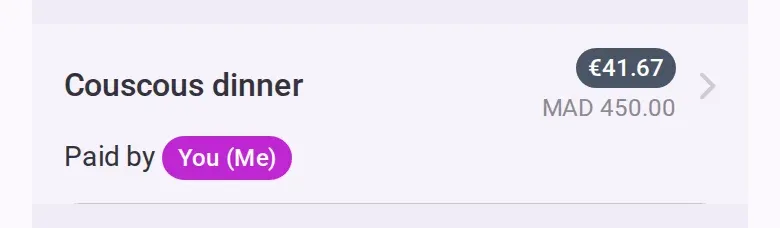
- In the list, the expense shows the event’s currency with the original amount under it.
For the rest of the form, see Add an expense.
If you’re offline
You can still add the expense, but the reference rate needs a connection, so you type the rate or the amount charged yourself. Editing needs a connection.
Good to know
- Without a rate or an amount charged, the expense won’t save. The app never assumes 1 to 1.
- If a rate is more than double, or less than half, the last rate used in this event (or the reference rate, when there is none), the form warns you. Check it isn’t upside down or missing a zero.
- The reference rate is a mid-market rate, not what your bank charged. It covers the main currencies only; for others, you type the rate.
- Each expense keeps its own rate and is never converted again.
- Switching the expense back to the event’s currency removes the conversion.
- The event’s own currency can’t be changed while it has expenses in another currency.
- To see what you owe, go to Settle up.