
See what you owe and mark a payment received
Updated
By default you see only the debts you are part of on the settle tab, unless a co-host or admin makes the event’s balances public: see Private expenses and who sees what. CabuTally never moves money: you pay each other however you usually do, and then the person who was owed marks the payment received. Anyone with a seat in the event can do this, view-only people included.
To compare, open the settle tab of a finished demo trip as Alex and then as Maya: each sees only their own lines.
- Open the event and go to the settle tab.
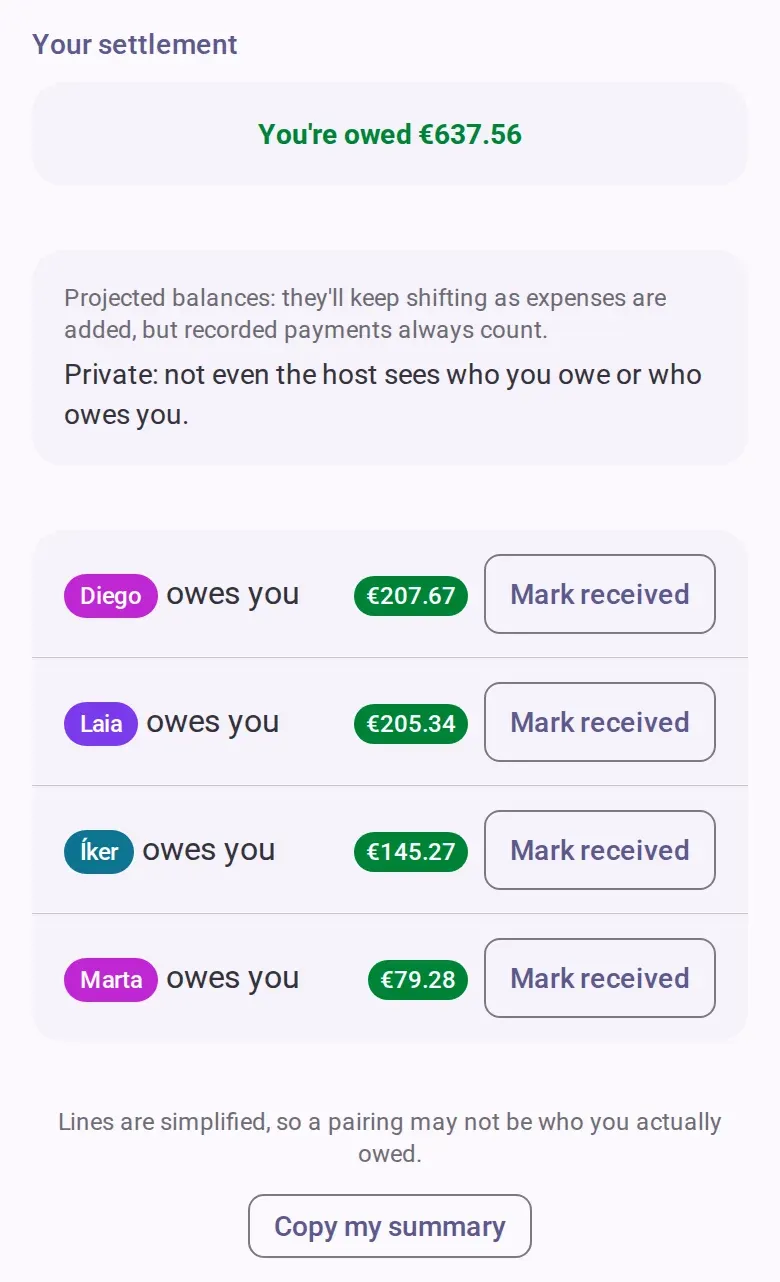
- Read your totals at the top, then one row per person: who you owe and who owes you, with the
amount.
- If you owe someone, tap the amount on that row to copy it, and send the money the way you usually do. The other person records it, not you. To tell them, tap the button that says you paid: it sends them a message and records nothing.
- If someone paid you, tap the mark-received button on their row.
- Check the amount. It starts at the full amount owed. Enter a smaller amount to record a partial
payment.
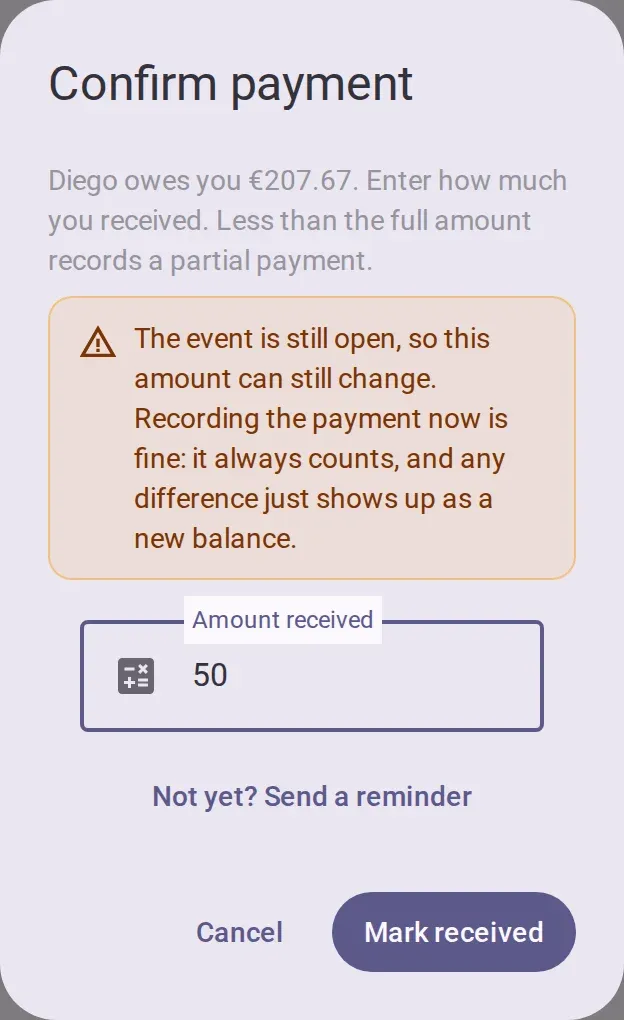
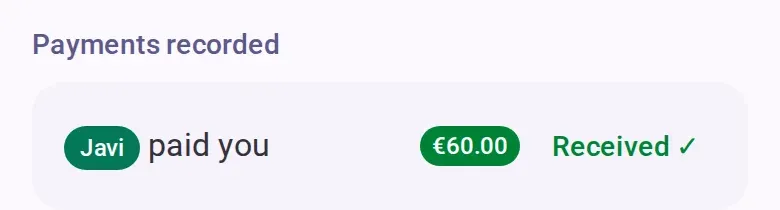
- Confirm. The line goes down by that amount, or disappears, and the payment appears in the list of
recorded payments for both of you.
- When everyone is paid, the event can be closed. See Wrap up, settle and close the books.
Not paid yet
In the same dialog, the reminder button shares a ready-made message to a chat. Then close the dialog without confirming. The share-summary button under your lines sends all your own open lines as plain text. It never includes anyone else’s lines.
Undo a mistake
If you were the one paid, tap the received check on the recorded payment. It removes the most recent payment between the two of you at once, without asking. A payment recorded with the mark-paid button cannot be undone in the app today.
Someone who hasn’t joined
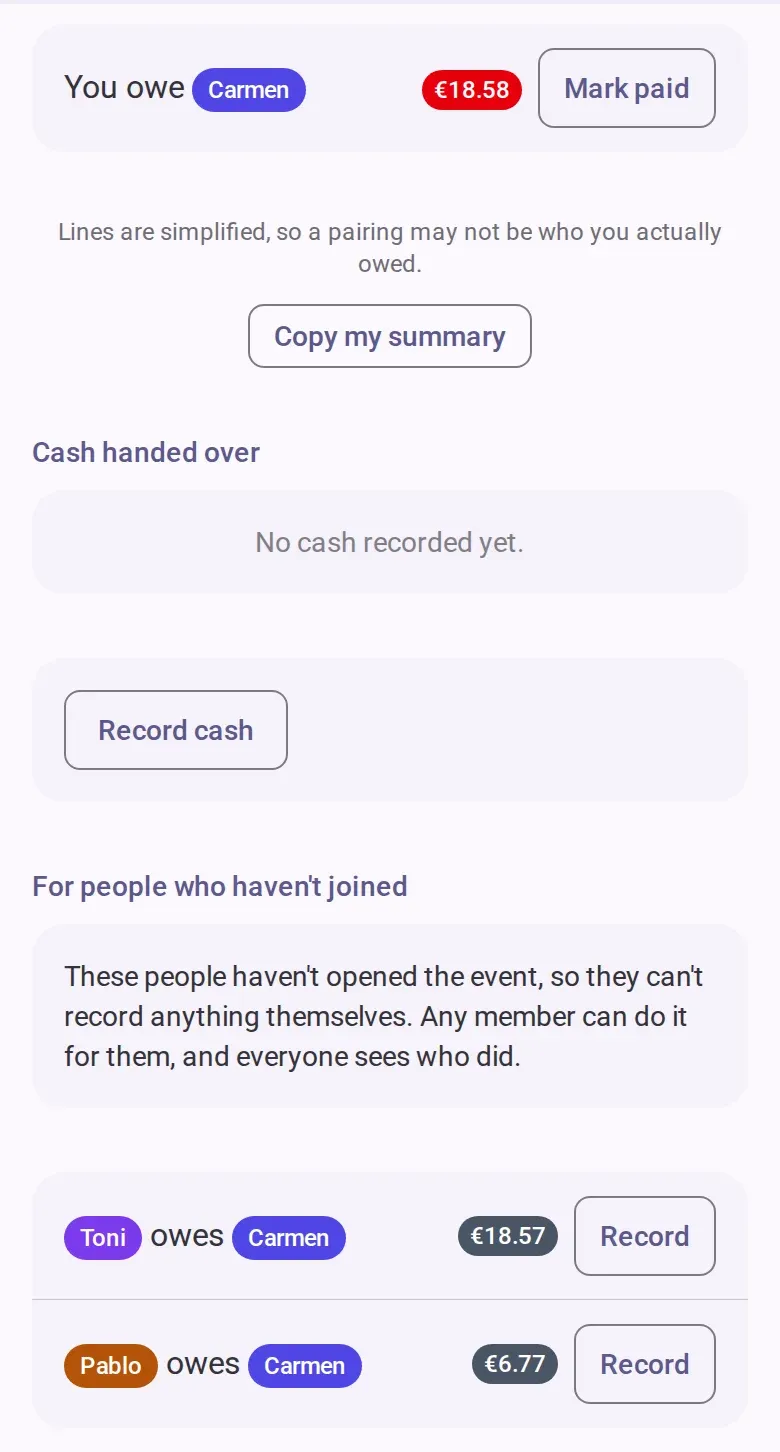
If the person you owe has never opened the event, nobody can confirm receipt. You get the mark-paid button instead and record what you handed over. Everyone in the event can see that entry. Debts between two people who haven’t joined are in their own section, and any member can record them. See Add people who haven’t joined yet.
Good to know
- Lines are simplified across the group, so you may pay someone other than the person who paid for your share.
- You cannot record more than is still owed.
- Until the event is settling, the figures can still change, but a recorded payment always counts.
- A co-host or admin can make the event wait until settling before payments are recorded. Until then, the buttons on your rows stay greyed out and a note explains why.
- Money one person handed another before any debt existed goes in the cash section of this tab. Money for a shared pot: Collect a kitty before the trip.
If you’re offline
You can copy an amount and share your summary. Recording or undoing a payment needs a connection.