
Collect a kitty before the trip
Updated
A kitty is money the group sends to one person up front, the same amount each. The app shows who has sent their share. Anyone except view-only people can start one, with no account needed.
- Open the event’s settings: tap the event’s name in the top bar, or choose the event item in the event’s actions menu.
- In the kitty section, enter what each person sends, in the event’s currency.
- Pick who collects the money. It starts on you.
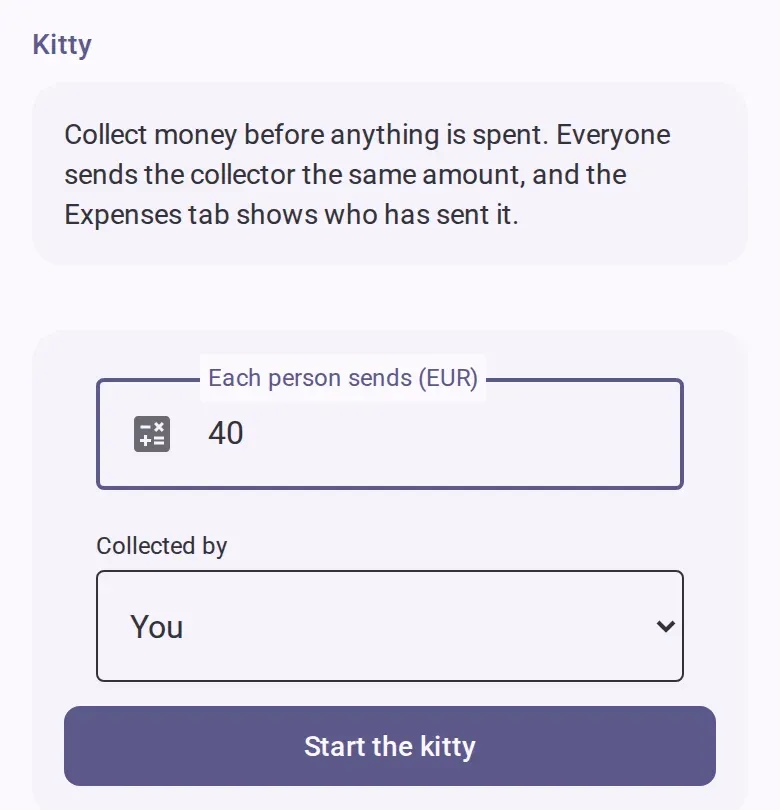
- Tap the start button. Everyone in the event sees that you started a kitty.
- Send your share to the collector the way your group usually pays. CabuTally never moves money.
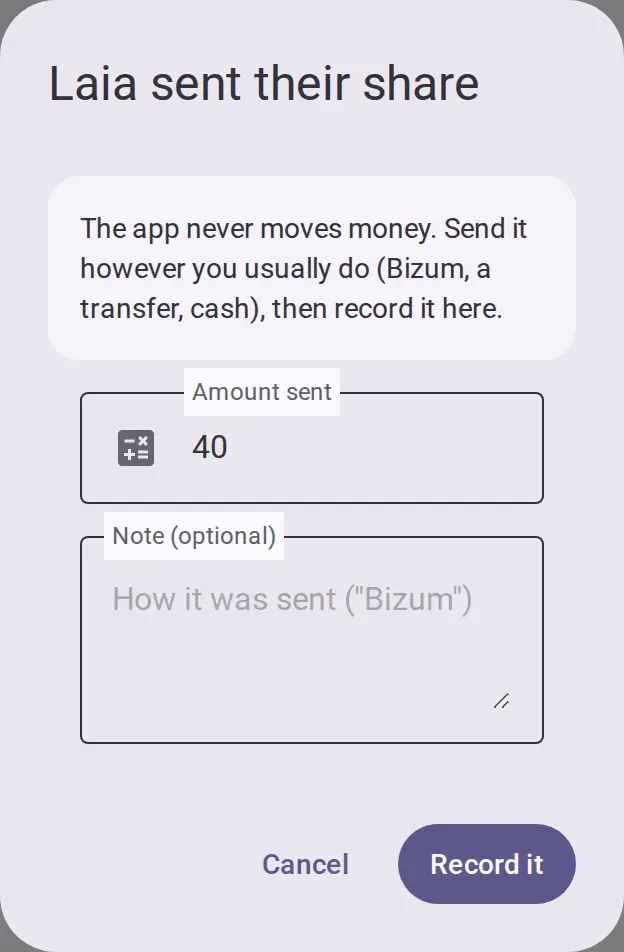
- On the expenses tab, tap the kitty card’s button to say you sent your share. Check the amount, add a note on how you sent it if you want, and confirm. The collector does not need to confirm.
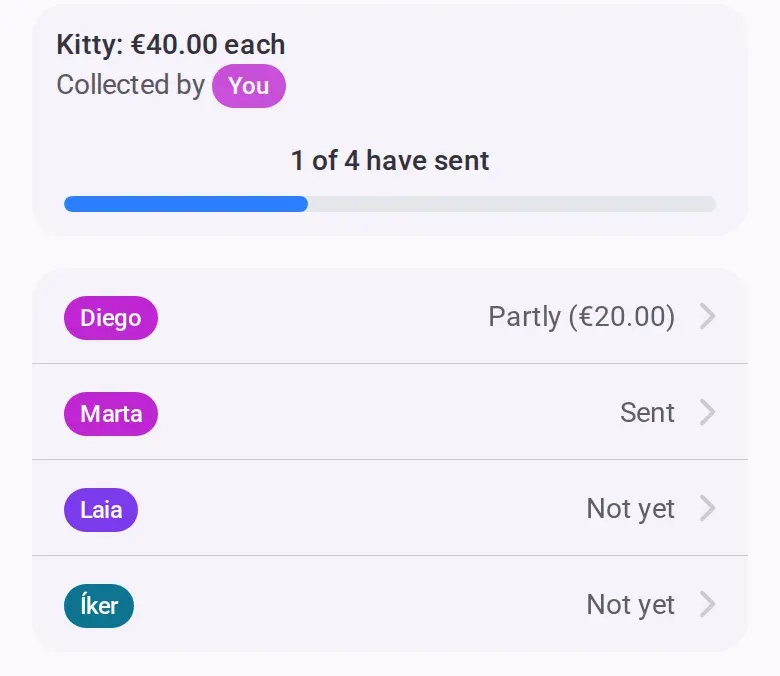
- Follow the card: it shows how many people have sent their share, and one row per person: sent,
partly sent, or not yet.
If you collect the kitty
- To record someone else’s share, tap their row on the card. Only the collector can do this, and it
is the only way to record a share from someone who has not joined. See
Add people who haven’t joined yet.
- To spend from the kitty, add each purchase as a normal expense that you paid. See Add an expense. The shares count as money already given to you, so the leftover, or what is missing, appears on the normal lines in the settle tab. See See what you owe and mark a payment received.
Who can do this
- Start, change or remove it: any member, co-host or admin, not view-only people.
- Record your own share: anyone in the event, view-only people included.
- Collect it: anyone who has opened the event themselves, not someone who has not joined.
- Once the books are closed, the kitty cannot be changed or removed, but shares can still be recorded.
Change or remove it
- Amount: edit it and save. Someone who sent the old amount then shows as partly sent.
- Collector: what the old collector received stays in the balances, and they owe it back on the normal lines. The card counts only what has been sent to the new collector.
- Remove: the app asks first. What was already sent stays in the balances. This cannot be undone.
- The collector cannot be removed from the event until someone else collects.
Undo a wrong entry
A share is recorded as cash handed over. The sender or the collector can undo it from the list of cash handed over in the settle tab.
If you’re offline
The kitty buttons are greyed out. Every kitty action needs a connection.