
Use CabuTally in Claude
Updated
You can use CabuTally from a chat with Claude. The assistant page has the full detail: what it can see, how sign-in works, and every tool.
Connect it
- In CabuTally, open your profile and then the assistants item.
It explains what the assistant can do and shows the server address with a copy button.
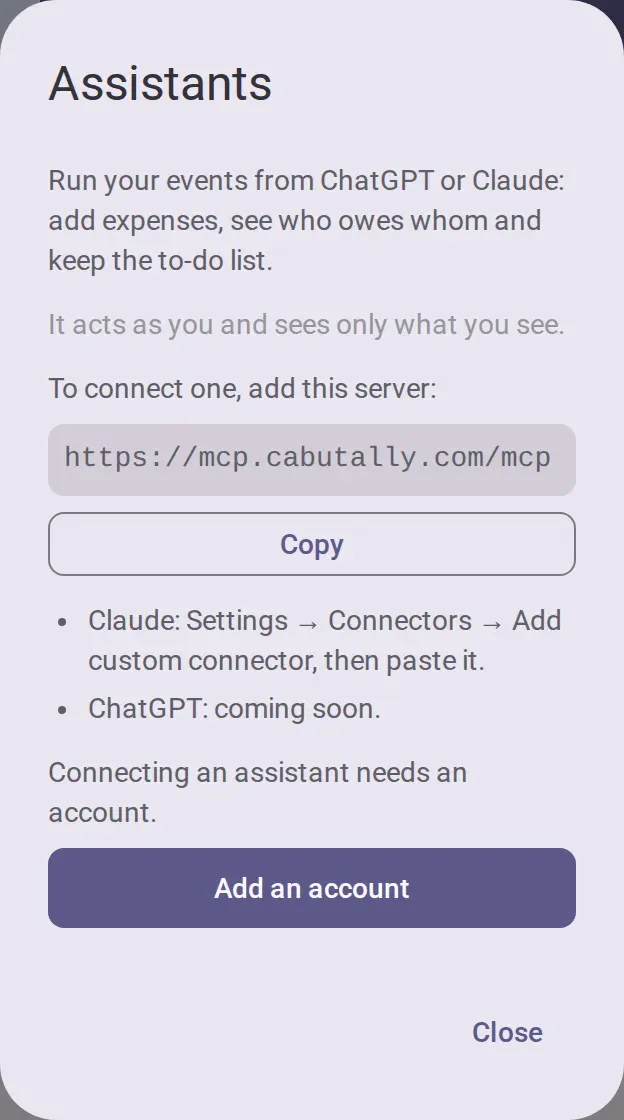
- Copy the server address.
- In Claude’s settings, open the connectors and add a custom connector with that address. Once CabuTally is listed in Claude’s connector directory, you can add it from there instead.
Use it
- Ask Claude to plan an event or split a bill. This needs no account.
- The first time you ask about your own events, Claude asks you to sign in. A CabuTally page opens. Sign in if needed, then confirm the account it names.
- Ask it to add expenses, tell you who owes what, record a payment or money sent to a kitty, create an event, add people, or add, join or tick to-dos. Claude asks before anything that writes, unless you let it run without asking.
Without an account
- Plan an event: you get a card with a link. It opens the app’s create form, filled in. Nothing is created until you create it in the app. See Create an event.
- Split a bill: it works out who pays whom, to the cent, with as few payments as possible.
With an account
- Everything else needs a CabuTally account with an email address. The friends you invite do not need one. See Keep your seat on another phone to add an account.
- Claude acts as you and sees only what you see. Your role and the event’s state apply as in the app. It cannot join events, change roles or handle billing.
- It never deletes anything and never changes an expense, a payment or an event. To fix a wrong expense, edit it in the app. See Add an expense.
- What it adds appears in the app at once, and the activity log marks it as made through an assistant.
- What it reads goes to Anthropic, which runs Claude. Private expenses stay private.
Disconnect
Open the assistants item in your profile, tap the disconnect button and confirm. Claude, and any other assistant you connected, loses access within the hour. Disconnecting needs a connection.