
Split a restaurant bill line by line
Updated
A bill is one receipt that the table splits by what each person had. Whoever paid types in the lines, shares a link, and everyone taps their own. Nobody needs an account, and it is free.
To skip the typing, see Scan a ticket.
Type in the bill
- Open the app’s Bills screen and tap Split a bill. The first time, the screen offers Type it in. From your events list, the add button offers Split a bill too.
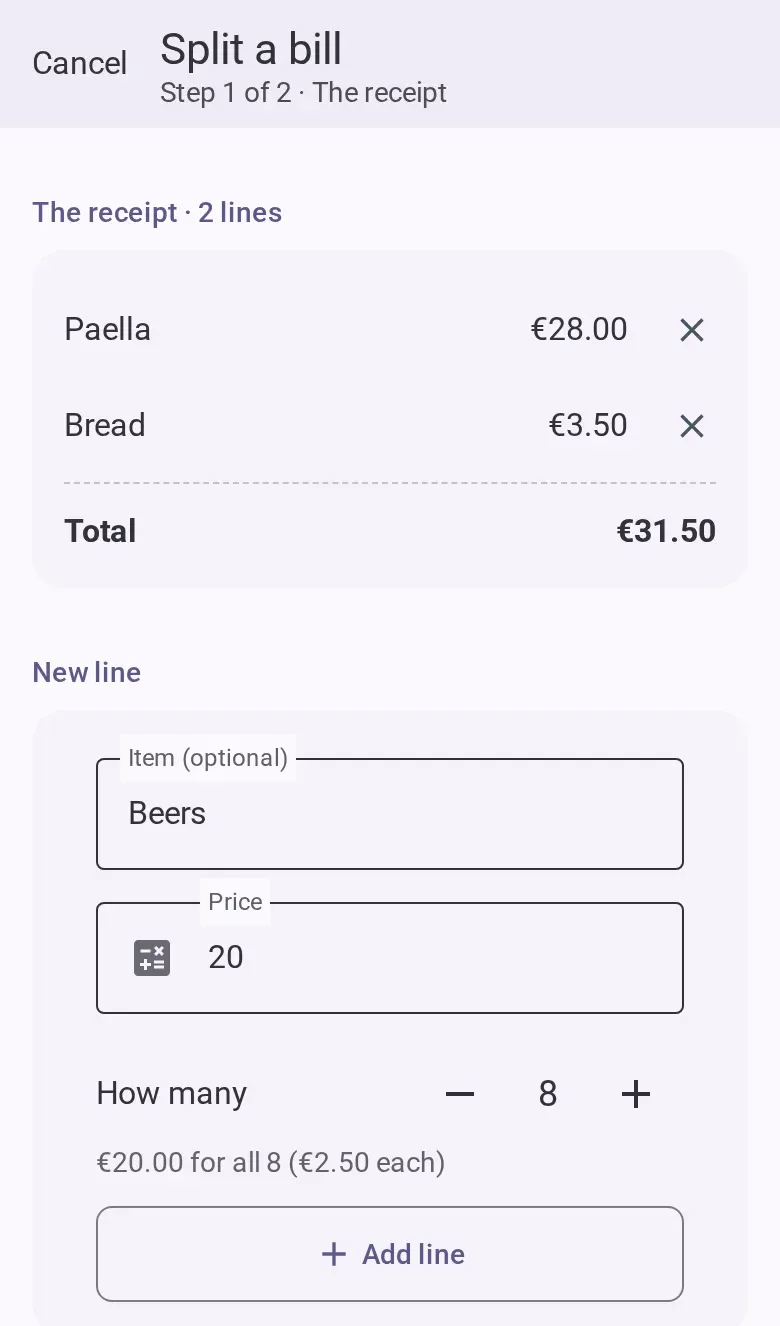
- Copy each line of the receipt: type what it is (optional) and its price, then tap Add line. The lines stack above as a receipt, with the total as its last row.
- If the receipt has several of the same thing on one line, set How many and type the price of
the whole line. A line under it reads it back, such as “€20.00 for all 8 (€2.50 each)”.
- The currency is the button under the new line. Choose it before the first line. To change it later, remove the lines.
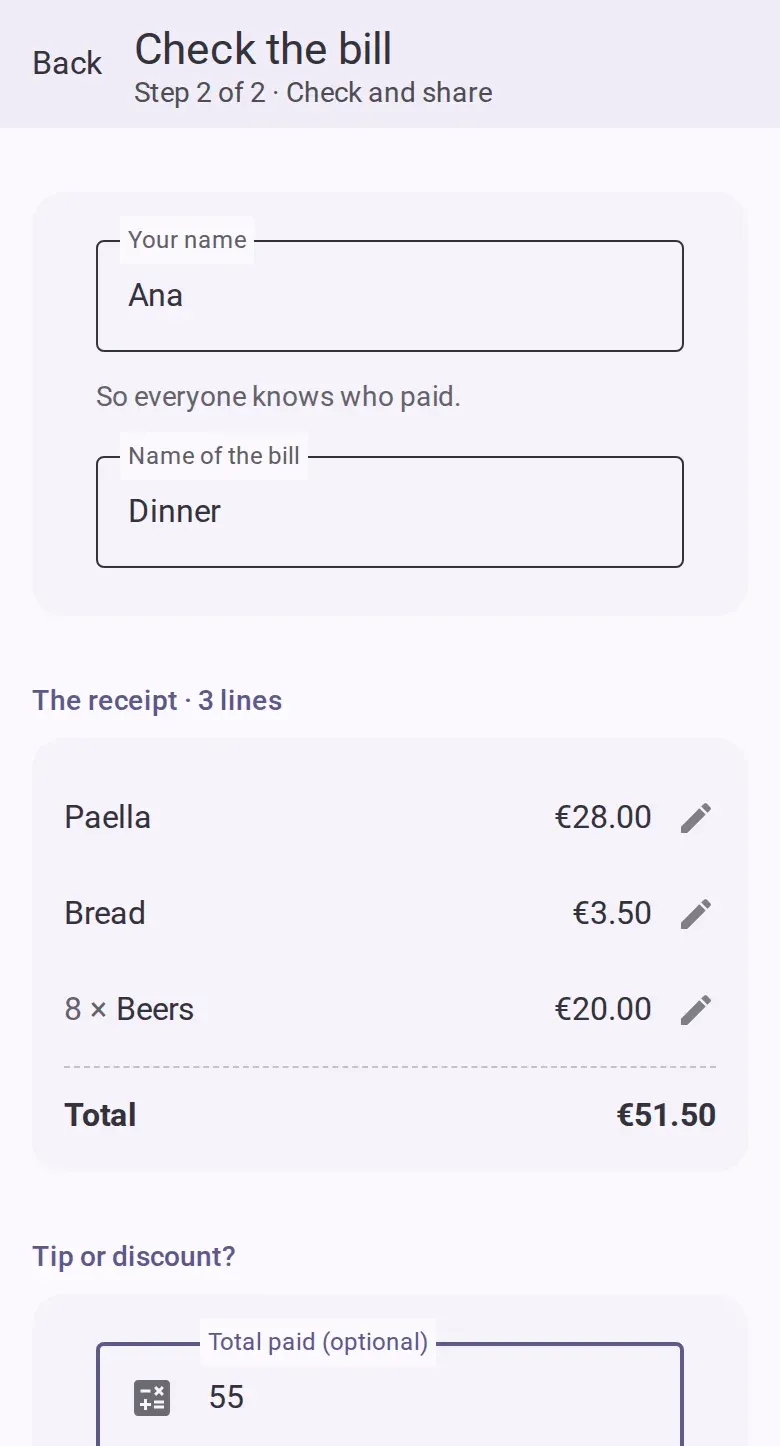
- Tap Continue. Type your name, so everyone knows who paid, and change the name of the bill if you like.
- Check the lines. Tap any line to change or remove it.
- Only if you paid something other than the sum of the lines, tap Tip or discount? and fill in
Total paid (optional). More than the lines is a tip or a service charge, and each person
pays their part of it by what they had. Less is a discount, spread over every line.
- Tap Create and share. The app offers the link right away. Send it to the table.
Tap what you had
- Open the link, type your name and tap Join. The bill opens.
- Tap each line you had. It turns your colour and shows what it costs you. If several people tap the same line, they share it equally. Tap it again to take yourself off.
- On a line with a quantity, use the minus and plus buttons to take your units. They stop at what is left.
- To tap for someone who is not looking at their phone, tap Tapping for: Me above the lines and choose them. Every tap then counts for them until you tap Back to me, so one phone can tap for the table.
- Your total stays at the bottom of the screen. Tap it to see what it is made of: each of your
lines, your part of the tip, and the sum.
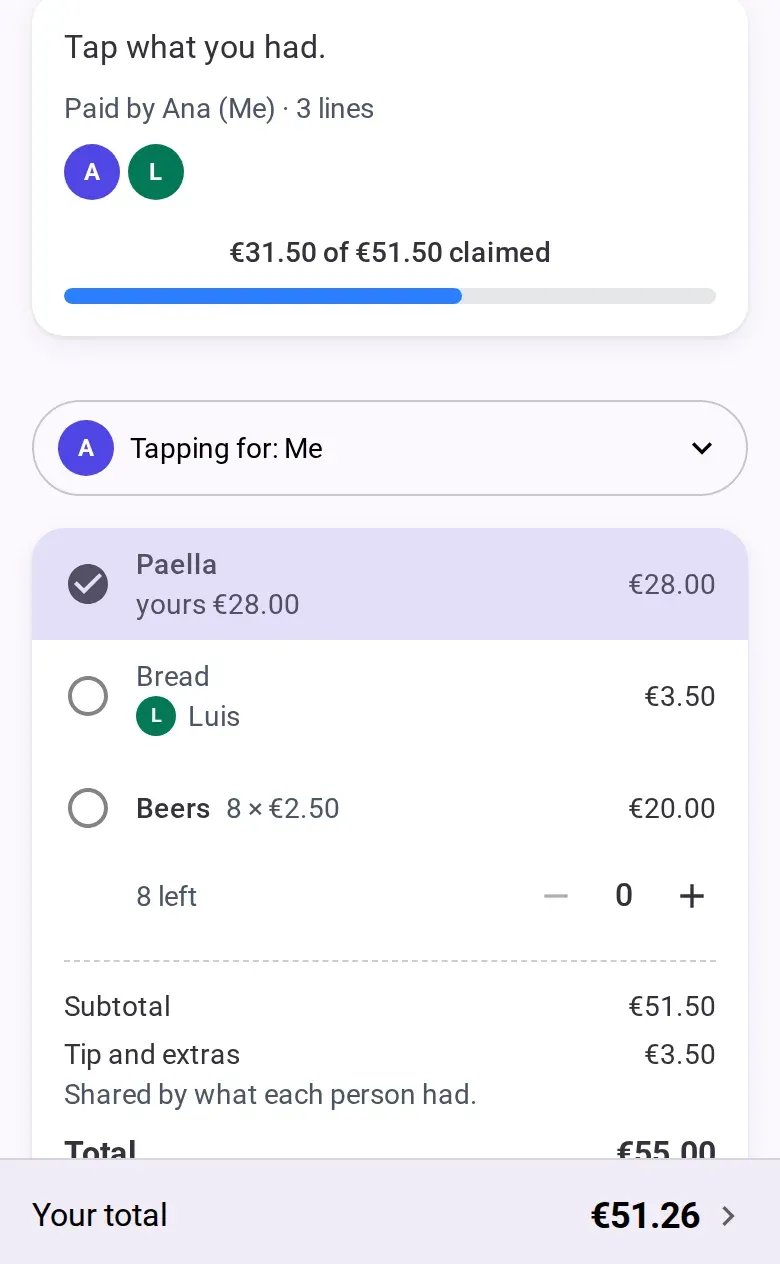
Whatever nobody has tapped stays with the person who paid, and the bar at the top of the page shows how much of the bill is claimed. On a long bill, Free and Mine above the lines hide the rest. The tip and the total sit at the end of the lines, like on the paper.
Close the bill
After the last line you can edit the lines (change, add or remove one), close the bill or edit its details (name, amount, note, date and who paid). The total follows the lines: a line you add raises it by its price, and a tip stays as it was.
- Tap Close the bill.
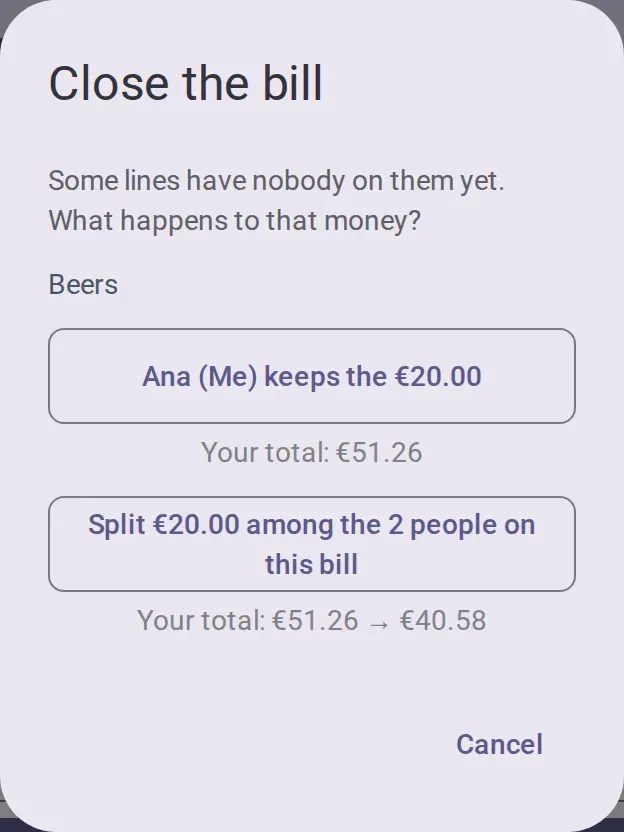
- If some lines have nobody on them, the dialog names them. Choose what happens to that money: the person who paid keeps
it, or it is split among the people on the bill. Each choice shows your own total before and
after, or a single figure when that choice does not change it.
- Once closed, nobody can claim or change lines. The bill opens on everyone’s total, and a tap on a person shows what theirs is made of. Pay each other as in Settle up.
A bill inside an event
In an event, open the add-expense form, tap the row that says how it splits, and tap Split a bill. The steps are the same, you are the person who paid, and the last button is Add the bill. The bill uses the event’s currency and only people in the event can be on it. While it is open, its row in the expenses says so, and the settle tab warns that the amounts may still change.
Who can do this
- Anyone can start a bill, with no account.
- Members can claim, claim for others, add, edit and remove lines, and close the bill. View-only people can see the bill but not claim.
Good to know
- Nobody is charged for a line they did not tap. An untouched bill is all on the person who paid.
- Splitting the unclaimed money on closing divides it among the person who paid and everyone who claimed something. Someone who tapped nothing pays nothing.
- Other people’s taps show when the page refreshes, not at once. If two people take the last unit at the same moment, the second is told it is gone.
- A bill holds up to 39 lines. Type a longer receipt as two bills.
- Settling the event closes an open bill, and the unclaimed money stays with the person who paid.
If you’re offline
Creating, claiming and closing a bill need a connection. Nothing is saved before you tap Create and share, and the lines stay on screen until it works.